WordPress powers a huge chunk of the web, and for good reason. It's quick to set up, it has plugins for almost everything, and non-technical people can use it. But that "plugins for everything" model starts to crack once you're maintaining more than a couple of sites.
Version conflicts pile up. Security patches come every week and you're just hoping a plugin update doesn't break something. Managed WordPress hosting (WP Engine, Kinsta) gets expensive fast. Content models are fragile. It's easy to build something, but hard to predict how it'll break when you need to change it. Page bloat from stacked plugins kills performance. And the whole time you're orchestrating between a separate PHP backend and whatever frontend you're using.
I've been on that treadmill. Built plenty of WordPress sites. After years of debugging plugin interactions and chasing security holes, I started looking for something different. That's when I found Payload CMS, and later ran across their own side-by-side against WordPress, which lines up with what I'd already lived through.
The pitch was simple. Code-based CMS, schema-first, TypeScript all the way down, and it lives in the same Next.js app as your frontend. No decoupling, no API gateway latency, no "why is the frontend different from the schema?" mysteries. It solved what I actually needed, a content management system that doesn't fight you, with a usable interface for non-technical people and a sane developer experience.
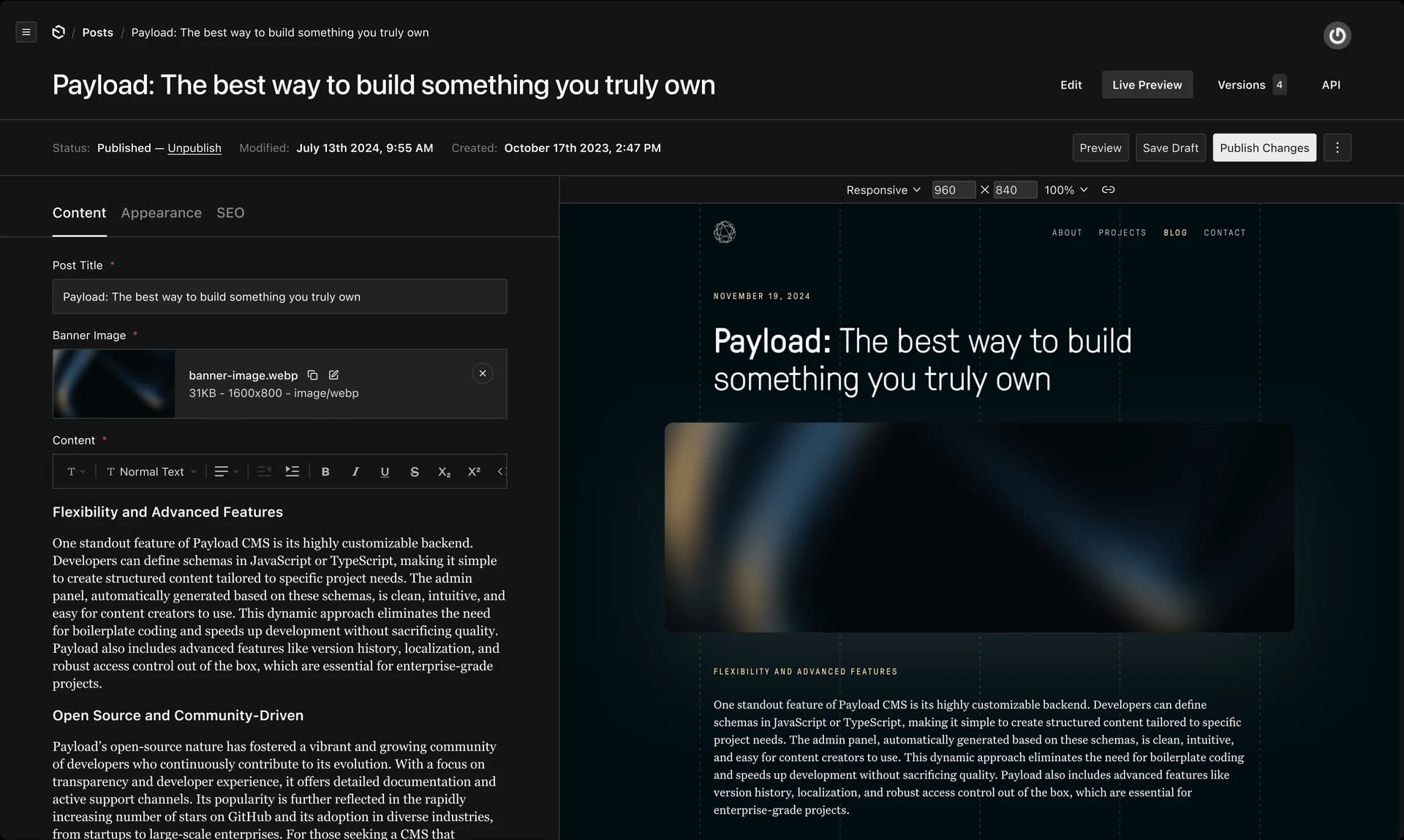
Why schema-in-code wins
WordPress stores configuration in the database. Add a custom field, and it goes into wp_postmeta. Need a repeater, a conditional, a nested block? That's Advanced Custom Fields (ACF) territory, the plugin practically every WordPress developer reaches for, and its field groups live somewhere between your codebase and your database, out of sync with whichever one you touched last.
Payload flips this. Your CMS schema is code. It lives in your repo, versioned alongside everything else, and it flows from config to database. There's no middle ground where "what the admin dashboard shows" and "what your frontend expects" can drift apart.
export const Testimonials = buildConfig({
  collections: [
    {
      slug: "testimonials",
      access: {
        read: () => true,
        create: ({ req }) => req.user?.role === "admin",
      },
      fields: [
        {
          name: "quote",
          type: "textarea",
          required: true,
        },
        {
          name: "author",
          type: "text",
          required: true,
        },
        {
          name: "avatar",
          type: "upload",
          relationTo: "media",
        },
        {
          name: "rating",
          type: "number",
          min: 1,
          max: 5,
        },
        {
          name: "publishedAt",
          type: "date",
          admin: { date: { pickerAppearance: "monthYear" } },
        },
      ],
    },
  ],
});
The schema is TypeScript. Your IDE knows every field. Your frontend imports the generated types. When content comes back from the API, it's already typed end-to-end. No guessing, no runtime surprises.
Single Next.js app, one codebase
With WordPress, you have the CMS backend and the frontend as separate animals. Even if you're using headless WordPress with a Next.js frontend, you're managing two deployments, two codebases, two databases. Changes ripple through a pipeline.
Payload is different. The CMS admin runs on the same Next.js server as your marketing site. Content lives in whatever database you wire up through Payload's adapter layer (we run Postgres). The frontend queries it via REST or GraphQL, both baked in. When you need to ship a content schema change or a new block type, here's what that looks like.
- Update the Payload config in your repo
- Run migrations
- Deploy one app
That's it. All your sites live in one Next.js repository. Shared components, shared styling with Tailwind, and a single source of truth for how content flows from the dashboard to the page. No orchestrating API contracts between teams.
Payload is built on Next.js today, but it's not permanently married to it. The team has talked publicly about bringing that same single-app model to other runtimes, TanStack Start among them. If that lands, the "one repo for CMS and frontend" pitch stops being a Next.js-only argument and becomes a framework-agnostic one.
Type safety all the way through
This is the quiet win. When you export types from your Payload config, every collection becomes a TypeScript type. Your React components know what they're getting. When a marketer publishes a new listing in the Payload admin, your frontend component that renders it already has the right shape.
import type { Testimonial } from "@payload-types";

export function TestimonialCard({ testimonial }: { testimonial: Testimonial }) {
  return (
    <div>
      <p>"{testimonial.quote}"</p>
      <div>
        <img src={testimonial.avatar.url} alt={testimonial.author} />
        <p>{testimonial.author}</p>
        <p>{"★".repeat(testimonial.rating)}</p>
      </div>
    </div>
  );
}
No assertion, no guessing. If the schema changes, TypeScript yells at you. That's the kind of safety you don't get from WordPress + REST API + frontend hoping the fields are there.
From friction to speed
On the WordPress side, setting up a new site meant duplicating the plugin stack, testing on staging, hoping nothing broke on production, and debugging when it did. With Payload, a new site is a new collection, a new set of React components, and you deploy it all together.
What used to be weeks of plugin setup and uncertainty became three steps. Define the schema, build the components, deploy. Performance-first SSR and zero content model ambiguity, out of the box. That reliability matters. Non-technical teams need the interface to work predictably, developers need the content model to stay in sync with the code, and everyone wants the site fast on a real customer's connection.
The emerging AI-first workflow
Here's where it gets interesting. The pattern I see forming is that Payload becomes the backbone of an AI-aided design-to-code pipeline.
Picture a workflow where a designer mocks up a new landing page in Claude Design. Claude Code scaffolds the React layout and Tailwind styles. A Payload schema for the showcase block gets stubbed out. Then, through an MCP server talking to Payload (Payload's own team has said improved MCP support is coming in 4.0), an AI agent populates the content directly from structured data, no human opening the Payload admin dashboard at all.
This isn't something I've done end-to-end myself. But the pieces are there, and it's exactly the kind of thing that makes sense as generative tools get tighter. For agencies delivering multiple brand sites under strict brand guidelines, that's a massive speedup.
The Zero Dollar Cloud Hosting Stack
One more piece. Payload doesn't mandate an expensive CMS hosting plan. You don't need WP Engine or Kinsta tiers. The stack looks like this.
- Vercel for the Next.js app (frontend + Payload admin). Free tier handles real traffic.
- Neon for PostgreSQL. Free tier is serverless, scales to zero, and handles moderate workloads without a database hosting bill.
- Cloudflare R2 for media storage. S3-compatible, cheap, and Payload integrates cleanly.
- Resend for transactional email, optional, if the site needs a contact form to actually notify someone. Free tier covers low-volume sending without a mail server to babysit.
That combination is zero-dollar infrastructure for a site or two. No monthly CMS subscription, no managed WordPress hosting premium, no separate database server, no mail server. It scales from a single site to multiple properties on the same tier.
What actually changed
WordPress was a toolbox that kept growing, plugins solved individual problems, coordinating them was the job. Payload is a system designed upfront, schema and frontend code in the same place, same language, deployed as one unit. I went from firefighting plugin conflicts to building features.
It's not perfect, the community is smaller and there are fewer prebuilt extensions. But WordPress solved "how do non-technical people manage websites." Payload solves "how do we build websites without fighting our tooling," and that's the problem worth solving now.
Payload is probably the only CMS in the world to always be in the bleeding edge of tech. awesome showcase guys, a game changer of an update!